Crisp runs a MCP server that allows you to access and manipulate data from your Crisp workspace, like a developer would do using the Crisp REST API.
Connecting to the Crisp MCP Server is very easy. If you already used the Crisp REST API, then the process will feel familiar to you.
The Crisp MCP Server is available at: https://api.crisp.chat/mcp/
⏰ 1 Minute Setup
Follow those steps to connect to the Crisp MCP Server in your favorite AI tool:
- Add a new MCP server in your tool
- Choose transport type: Streamable HTTP
- In the URL, enter:
https://api.crisp.chat/mcp/ - Provide the following Authorization header:
Authorization: Bearer <CRISP_MCP_SERVER_TOKEN> - Hit the connect to MCP server button
- In the list of tools, you should now see tools like:
get_website_information(more tools will be listed) - To verify your authentication token is valid, make a tool call and check for the response
?token=<CRISP_MCP_SERVER_TOKEN> URL parameter, if your AI provider does not support the Authorization header. Prefer using the Authorization header if available, as it is much more secure.encodeURIComponent("<CRISP_MCP_SERVER_TOKEN>") function.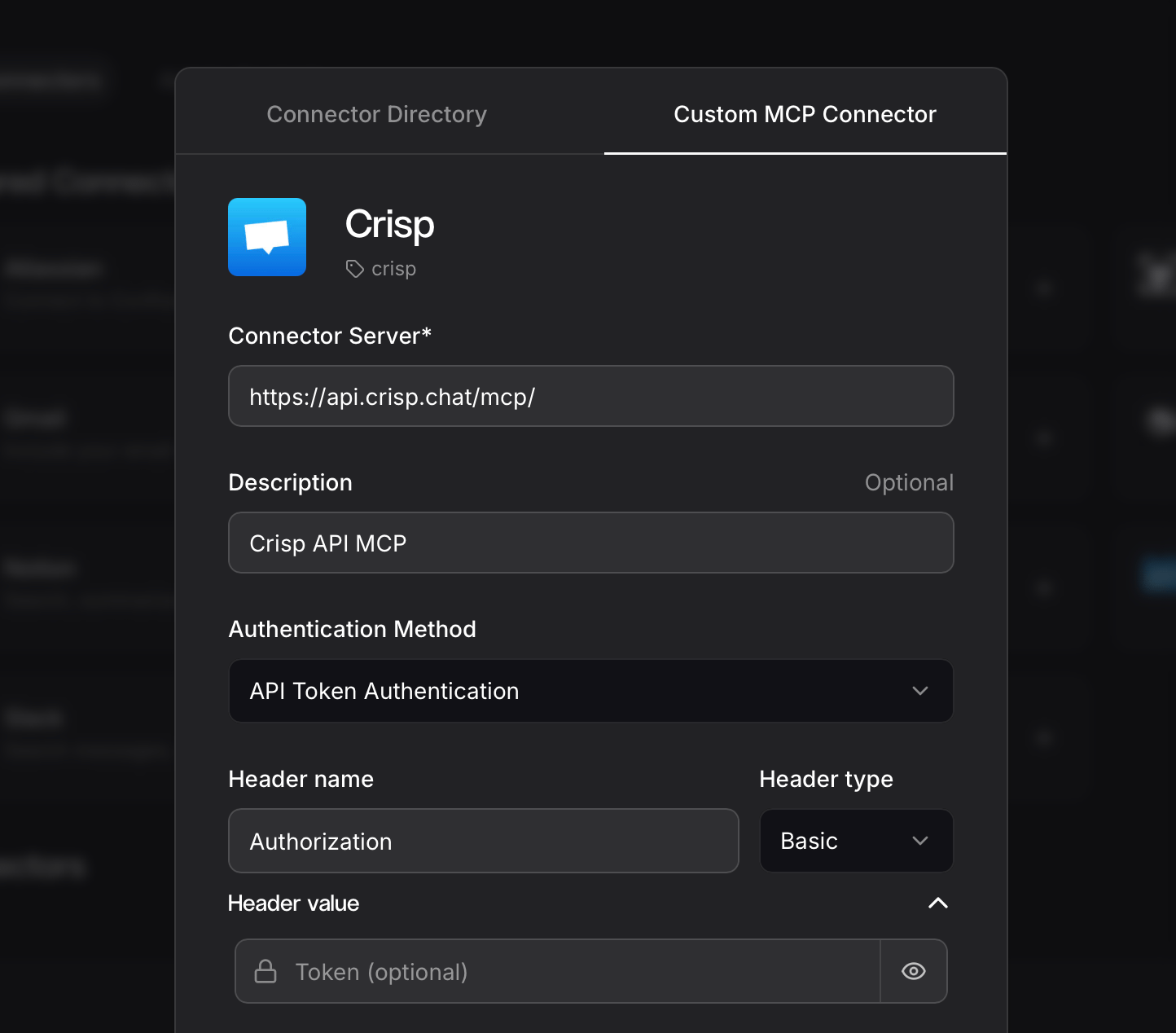
Authentication
How to obtain my authentication token?
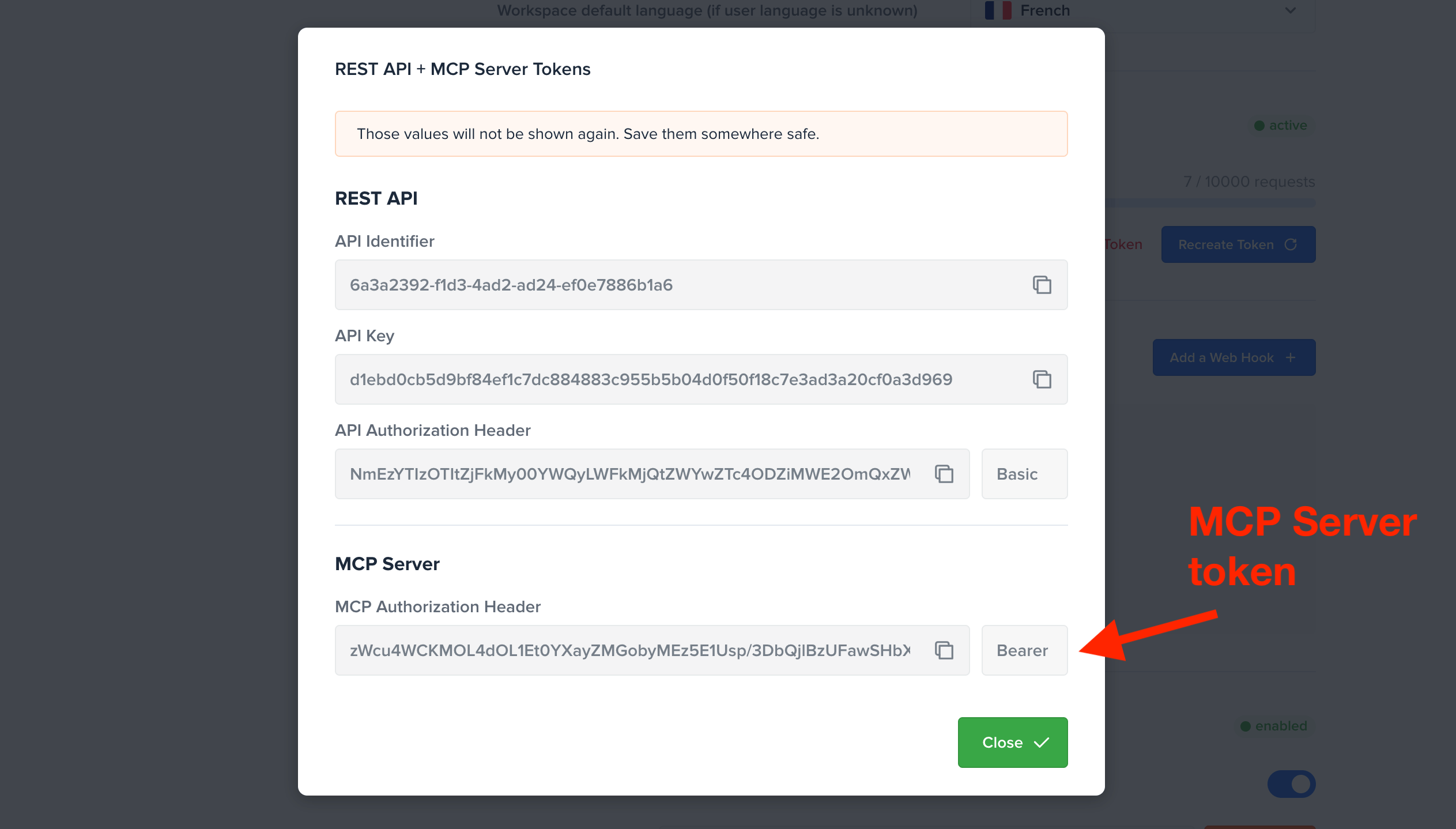
Your MCP Server token can be generated in one click:
- Open the Crisp Dashboard;
- Go to Settings > Workspace Settings > Advanced configuration;
- In the MCP Server Token section, click Generate Token;
- Copy your token authorization value (it is only shown once);
How to configure my authentication token?
The Crisp MCP Server uses the same token as the Crisp REST API. As such, depending on the type of token you will be using, the same ACLs enforced on the REST API apply (e.g. token scopes).
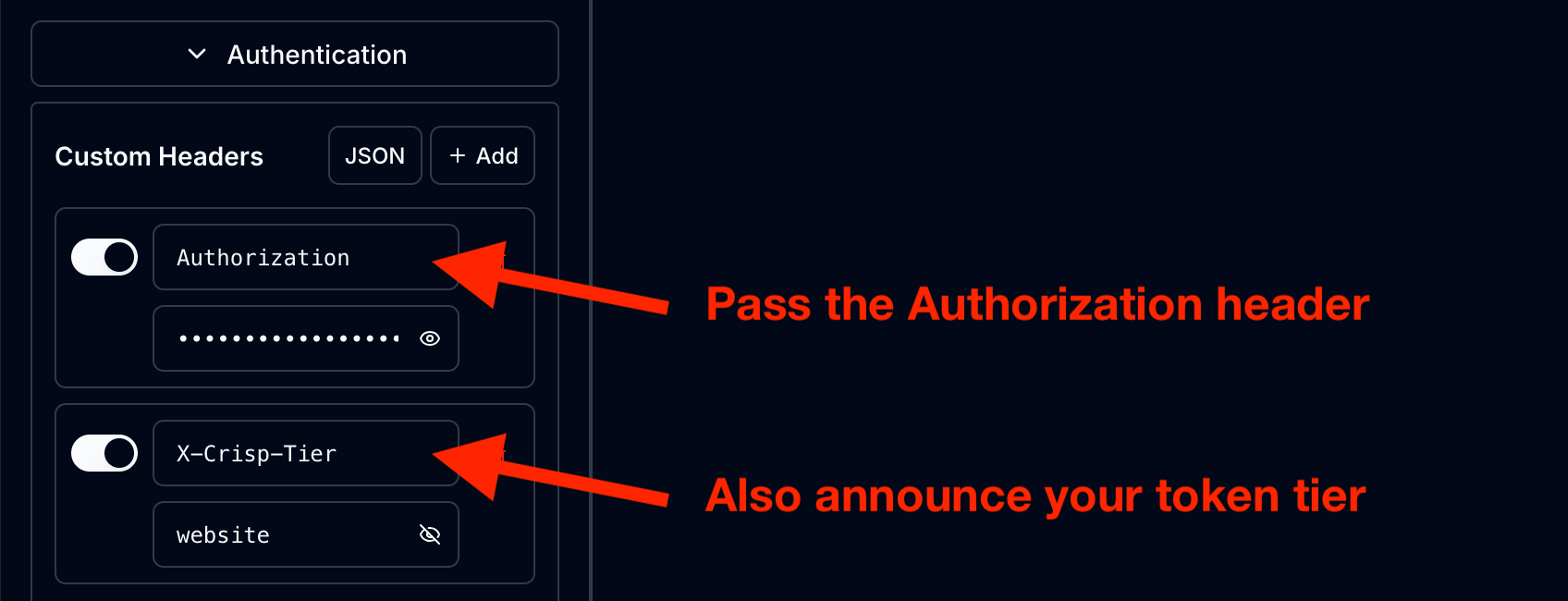
website_id and holds the tier website. You do not need to specify your workspace identifier when talking to your AI agent.Usage
What can I do with the MCP Server?
The Crisp MCP Server offers tools to access data from your Crisp workspace, but also make write operations (such as changing a conversation state, sending messages, etc.).
See Available Tools for the full list of tools and supported actions.
Here are examples of things you can now ask your AI Agent:
Tell me which operators are online in my workspace.
Suggest improvements to my helpdesk article about our refund policy, users said they were confused about the maximum delay after purchase.